Why I Chose Niri + DMS—and Why I’m Staying for a While
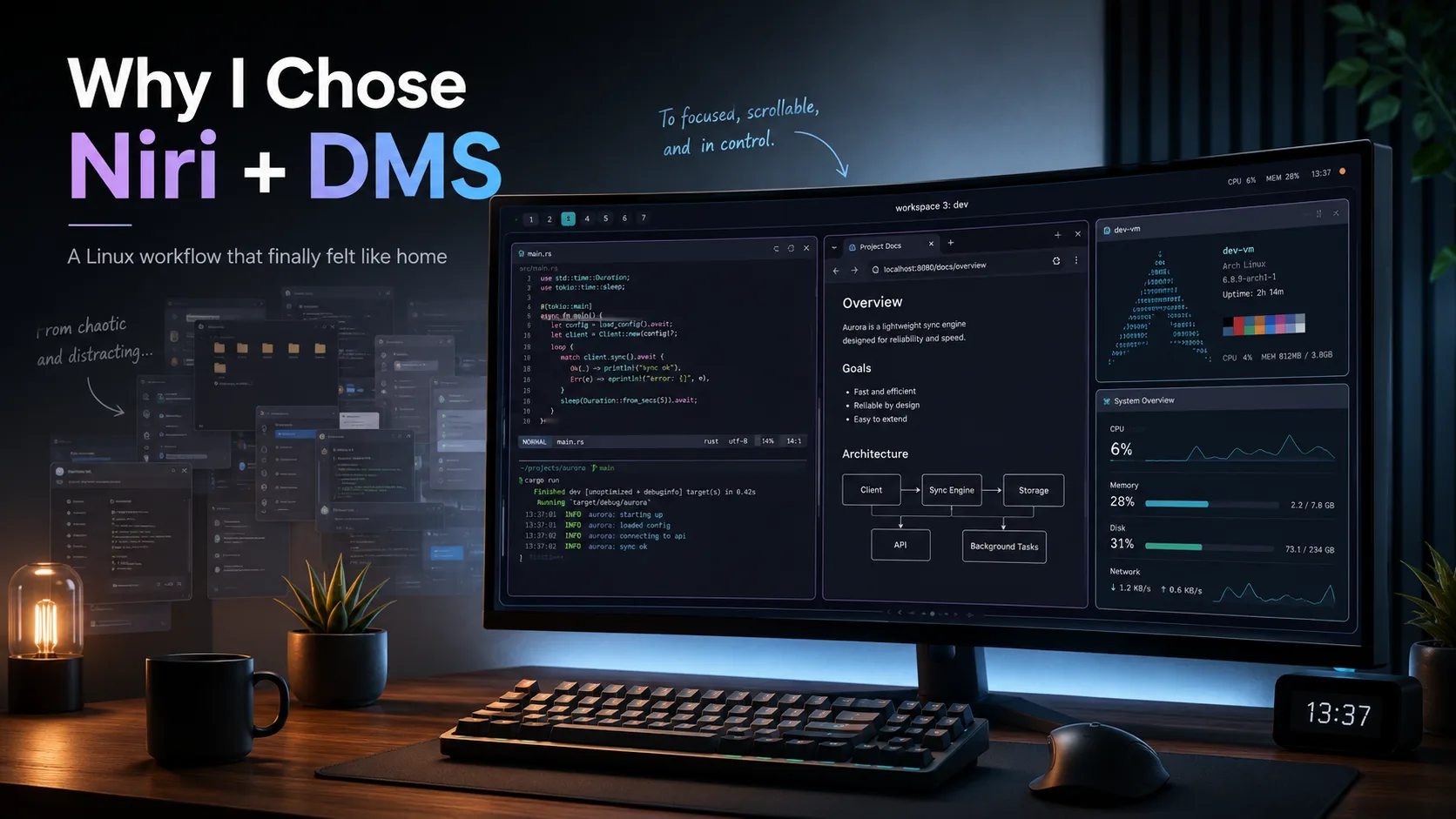
After years of traditional desktops and tiling window managers, I found a workflow in Niri’s scrollable tiling and DankMaterialShell that finally fits how I think about projects and contexts.
Let me begin with something that often gets lost in Linux desktop discussions: GNOME, KDE Plasma, XFCE, and the other traditional desktop environments are all great.
They solve real problems, work reliably, and provide a complete desktop experience without requiring you to spend an entire weekend debugging why a status bar has disappeared.
KDE Plasma, in particular, gives you an enormous amount of control. You can customize almost everything—from window behaviour and shortcuts to panels, themes, effects, and workspace layouts.
GNOME takes a different approach. Its default experience is intentionally opinionated, but extensions allow you to change its behaviour significantly.
For most users, these environments are more than enough.
However, the way you use a computer changes as your work becomes more complicated.
When you begin working across multiple applications, coding projects, terminals, browser windows, databases, virtual machines, documentation, monitoring dashboards, and communication tools, manually arranging windows starts becoming friction.
You begin to feel the need for tiling.
You can create a tiling-like workflow in KDE through custom shortcuts, scripts, window rules, and built-in layout features. GNOME can provide similar functionality through extensions.
These solutions work.
But, at least to me, they always felt slightly forced.
Tiling was something being added on top of a desktop designed around floating windows. The system could behave like a tiling window manager, but tiling was not at the centre of its design.
Eventually, I decided to try actual tiling window managers.
Moving from a traditional desktop environment to something like Hyprland, Sway, or i3 is not a small change.
Suddenly, many things you previously took for granted are your responsibility.
You need to think about:
- How windows should be arranged
- Which keyboard shortcuts should control them
- How workspaces should behave
- Which notification daemon to use
- How the status bar should look
- How applications should launch
- How locking, idle management, screenshots, networking, Bluetooth, and audio controls should work
It can initially feel like you have replaced a desktop environment with a collection of config files and unfinished decisions.
I tried several tiling window managers and eventually stayed with Hyprland.
One major reason was the ecosystem around it. There were already many ways to get a polished and attractive system without building everything from scratch.
Projects such as ML4W and Hyprland-Dots provided complete configurations that looked good and worked as a practical starting point.
There was also Omarchy, which packaged an opinionated Linux environment around a productive keyboard-driven workflow. I understand its appeal, but the heavily opinionated “this is how your Linux system should work” approach was not for me.
Linux users voluntarily replacing one set of defaults with another set of defaults and calling it freedom is one of the platform’s more charming contradictions.
Still, Hyprland helped me become comfortable with the tiling workflow.
Initially, you do not feel at home in a tiling window manager.
You are constantly checking shortcuts, searching documentation, editing configuration files, and wondering why an application has opened in the wrong workspace.
Then, gradually, something changes.
You stop fighting the workflow and start shaping it around your needs.
You edit the configuration.
You change the keybindings.
You write small scripts.
You decide which application should open on which workspace. You create shortcuts for the actions you perform repeatedly. You remove things you do not need and add things that fit the way you work.
At some point, the desktop stops being a generic interface and becomes your interface.
That is when you begin thinking:
I am probably never going back to a traditional window manager.
For someone like me, a tiling window manager is genuinely a game changer.
I work on multiple software projects. I manage servers and virtual machines. I regularly have terminals, editors, monitoring tools, database clients, browsers, and documentation open at the same time.
With a traditional desktop, I spent a surprising amount of time searching for windows, rearranging them, minimizing them, and switching between overlapping applications.
A tiling window manager removes much of that cognitive overhead. Applications have a place. Workspaces have a purpose. Moving between tasks becomes deliberate instead of chaotic.
Then, one day, I read about Niri.
Niri is a scrollable-tiling Wayland compositor.
Instead of forcing every open window to fit inside the visible screen, Niri arranges windows in a horizontal strip. You can move through them by scrolling left and right.
The concept immediately made sense to me.
Traditional tiling window managers divide a fixed screen area between windows. As more applications open, the available space keeps shrinking or the layout becomes more complex.
Niri does not need every window to remain visible simultaneously.
The workspace becomes a canvas that extends horizontally.
For my workflow, this felt natural.
I could dedicate one workspace to one project and keep the project’s related applications inside it:
- Code editor
- Terminal
- Browser
- Database client
- Documentation
- Logs or monitoring dashboards
Instead of squeezing all these windows together or distributing them across several numbered workspaces, I could simply scroll through the project.
Then I could switch to another workspace for another project.
For a person working on several projects at once, this feels less like managing windows and more like moving through contexts.
It was one of those ideas that seemed obvious immediately after seeing it.
Why had I spent so many years trying to fit every window into a rectangle?
Niri itself provides the window-management foundation, but it does not try to be a full desktop environment.
Normally, that means assembling several components yourself: a bar, launcher, notifications, lock screen, control centre, wallpaper management, idle handling, and various system indicators.
That level of customization can be enjoyable, but maintaining it across multiple systems eventually becomes another project.
Then I discovered Noctalia and DankMaterialShell, commonly known as DMS.
They showed me that I did not necessarily have to build every part of the Niri experience manually. I could have Niri’s scrolling workflow while still getting a polished, cohesive, and modern desktop shell.
Noctalia was particularly appealing because CachyOS offers an official Niri experience built around Noctalia. It can also be installed on Arch Linux.
I tried both approaches.
On my laptop, I now use CachyOS with Niri and Noctalia. It provides a polished experience without requiring extensive manual setup, and it works well for that machine.
However, my main work desktop has a more complicated multi-monitor setup.
When I tried adapting Noctalia to that environment, configuring the monitors and getting the entire workflow exactly how I wanted did not work out as smoothly as I expected.
That does not mean Noctalia is bad. It simply did not fit that particular system and setup as naturally as I wanted.
So, on my main desktop, I installed Arch Linux with Niri and DankMaterialShell.
Everything came together surprisingly smoothly.
The shell looked polished. The essential desktop features were already integrated. Niri handled the workspaces and windows exactly the way I wanted. My multi-monitor workflow behaved properly.
Most importantly, I could focus on my work instead of continuously working on my desktop.
The irony of Linux customization is that the ultimate goal is often to create a system you can finally stop customizing.
Niri fits the way I mentally organize my work.
I do not think only in terms of applications. I think in terms of projects and contexts.
A project may require a browser, editor, multiple terminals, a database client, an SSH session, and a monitoring dashboard. In Niri, all of those can live inside one workspace without being crushed into tiny tiles.
I can move horizontally through the project and vertically between projects.
That distinction feels incredibly intuitive:
- Horizontal movement navigates within a project
- Vertical workspace movement changes the project
This reduces context switching.
I no longer need to remember whether a particular terminal is on workspace 4, whether the database client is behind the browser, or whether I accidentally opened the project documentation on another monitor.
Each workspace becomes a complete working environment.
Combined with keyboard-driven navigation, this has noticeably improved my productivity.
Not because Niri makes the computer faster, but because it makes interacting with the computer require less thought.
Good tools disappear while you are using them.
Linux users are famous for switching distributions, desktop environments, window managers, terminals, shells, launchers, bars, and editors.
Sometimes we spend more time rebuilding the workshop than building anything inside it.
I have done enough of that.
Niri and DMS currently give me the balance I was looking for:
- The efficiency of a tiling window manager
- A workspace model suited to multiple projects
- A polished and cohesive desktop shell
- Excellent keyboard-driven navigation
- Smooth multi-monitor behaviour
- Enough configurability without requiring me to assemble everything myself
Could I customize it further? Absolutely.
Could I replace DMS with individually selected components and create a configuration tuned to every minor preference? Of course.
But I do not currently feel the need.
The system already fits the way I work, and that matters more than having the most technically impressive configuration on a Linux subreddit.
So I am going to stay with Niri and DMS for a while.
Not because I believe it is the universally best Linux desktop, but because it is currently the best desktop for me.
The point of this article is not that everyone should install Niri.
Do not switch to Niri because someone on the internet says scrolling tiling is the future. Do not install Hyprland because a screenshot looks impressive. Do not abandon KDE because someone claims that “real developers” use tiling window managers.
Try things to understand how they affect your own workflow.
Some people are most productive in GNOME.
Some want KDE’s flexibility.
Some prefer XFCE because it stays out of the way.
Some are happy with i3 or Sway.
Some enjoy spending months creating a completely custom Hyprland setup.
And some people may discover that scrolling tiling matches the way they think better than any traditional desktop ever did.
That is what freedom in Linux means.
It is not the freedom to follow the preferences of the loudest person on the internet. It is the freedom to experiment, reject what does not work, and keep what does.
I have been using Linux for around 15 years.
During that time, I used traditional desktop environments, customized them, broke them, repaired them, and repeatedly convinced myself that I had finally discovered the perfect setup.
Then I tried Niri with DankMaterialShell and found a workflow I never knew I needed.
Maybe I will change again someday. This is Linux, after all. Permanent satisfaction would damage the entire ecosystem.
But for now, Niri and DMS feel like home.
And I plan to stay here for a while.